
What happens if I exceed the Microsoft Copilot for Security capacity SCU I have provisioned?
What happens if I exceed the Microsoft Copilot for Security capacity SCU I have provisioned?

I recently began testing Microsoft Security Copilot to see how this AI-powered tool can help streamline threat detection and incident response. One key aspect I wanted to understand was not only how effective the tool would be for day-to-day operations, but also how much it would cost—especially for teams with tight budgets and limited security expertise.
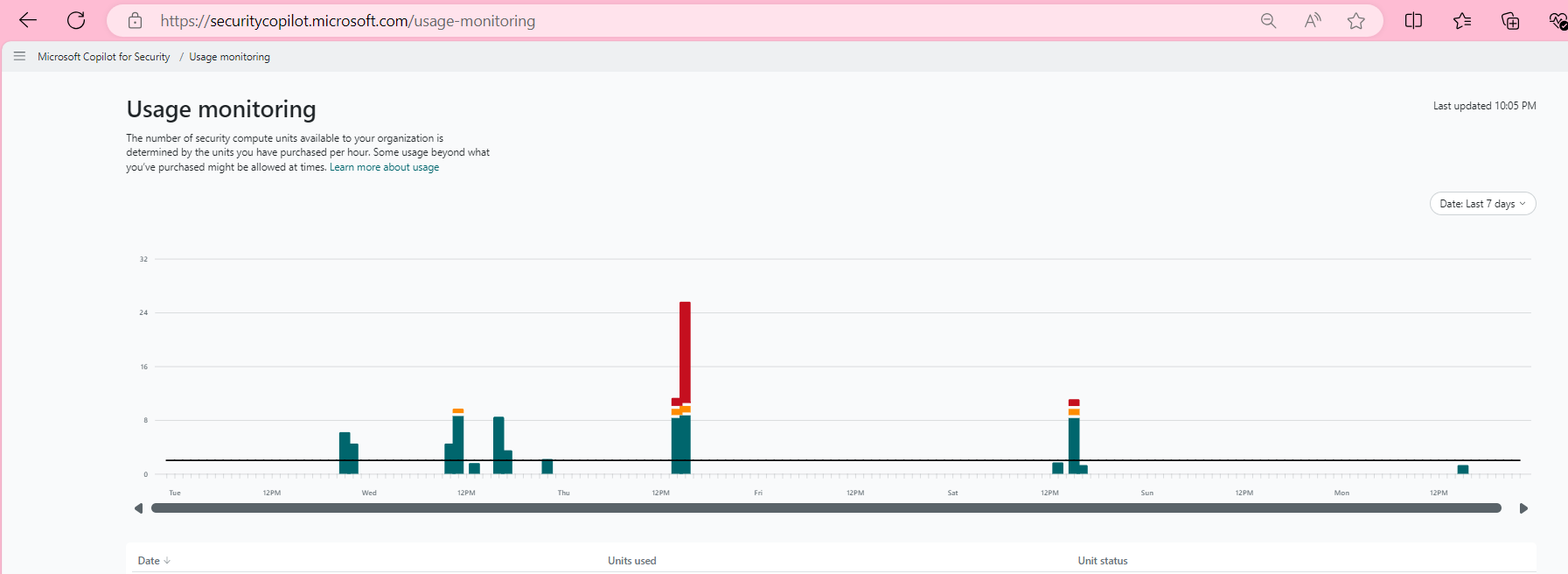
How do you associate Provisioned capacity / Prompt Complexity? - There is a huge topic to talk about in the future! #PromptEngineering
Well to start “Microsoft recommends provisioning 3 SCUs per hour to start your Copilot for Security exploration.” that’s a significant investment!

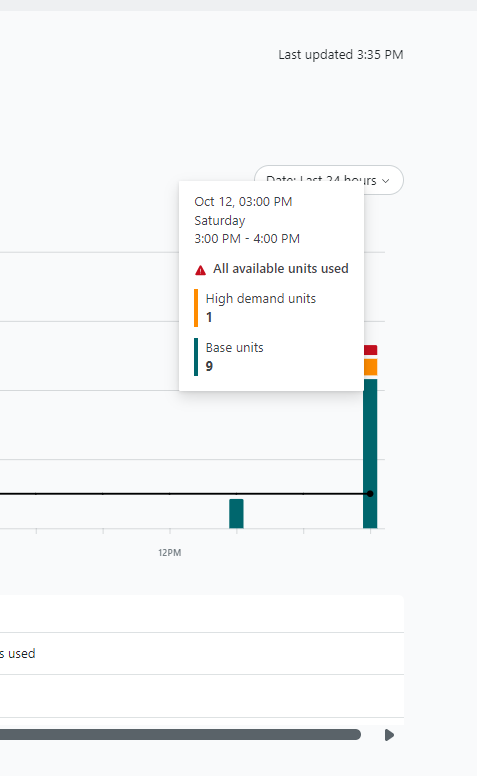
After spending some intensive time testing Security Copilot, I encountered what looks to be the current limit experience: a capacity prompt. This prompt essentially signalled that I had reached the usage limit, though it’s unclear whether this is a hard stop or a temporary delay / pause / increase compute time, in before your next prompt can be processed.
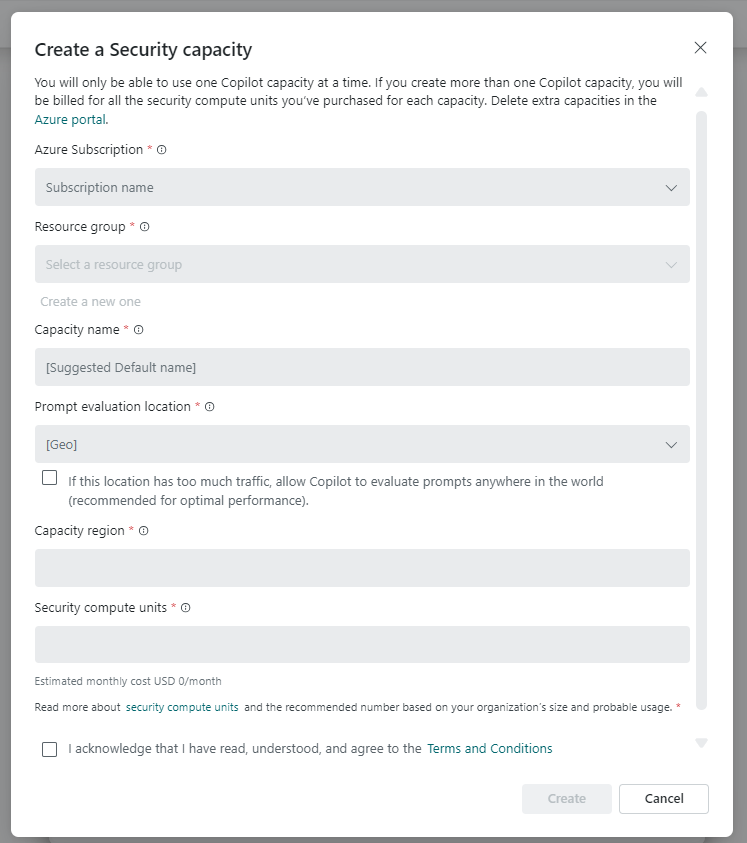
The Capacity Limit: What You Need to Know
The capacity prompt raised a critical question:
If I am using this in a Live Service, every second matters. What’s the experience if we hit cap?
As of now, Microsoft hasn’t fully clarified whether the system has a hard "cut-off" after a certain level of usage or if users will experience brief delays before they can continue working. This is important to know, especially for security teams that may rely on Copilot for continuous threat monitoring and incident response.
If you're running Security Copilot for extended periods or working through complex scenarios, you might hit this usage cap faster than expected. It’s something to keep in mind when considering how this tool fits into your overall security operations and budget. For teams operating in high-risk environments or managing multiple incidents daily, this limitation could pose a challenge.
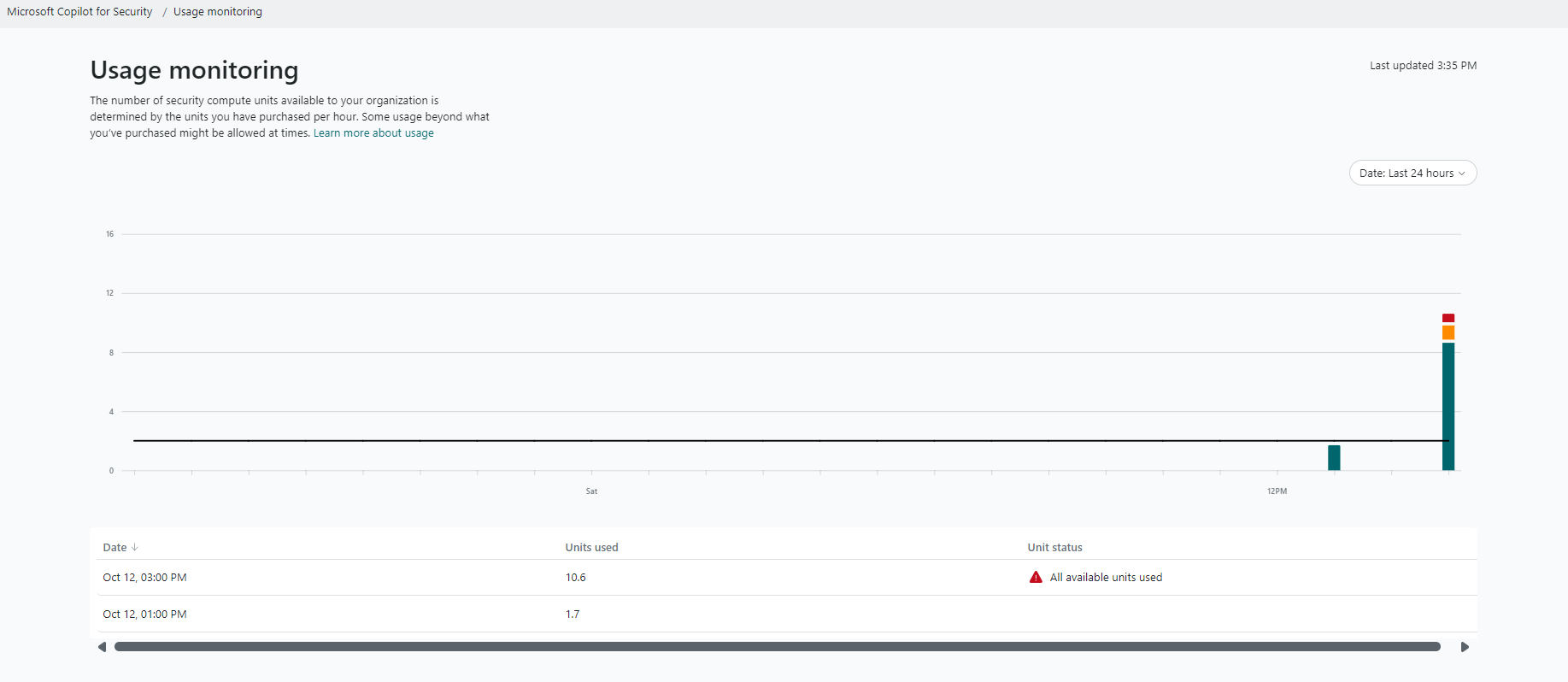
Why the Limit Matters for Your Team
This brings up a critical point about service expectations: scalability. Whether you’re a large organization with a dedicated security operations center (SOC) or a smaller team using Copilot to fill gaps in specialized knowledge, knowing how long you can rely on the tool without interruptions is essential.
For example, if there’s a delay after hitting the limit, it could affect response times during ongoing security events. Understanding whether this limit is temporary or ongoing could also impact the tool’s cost-effectiveness.
What Microsoft Say ?
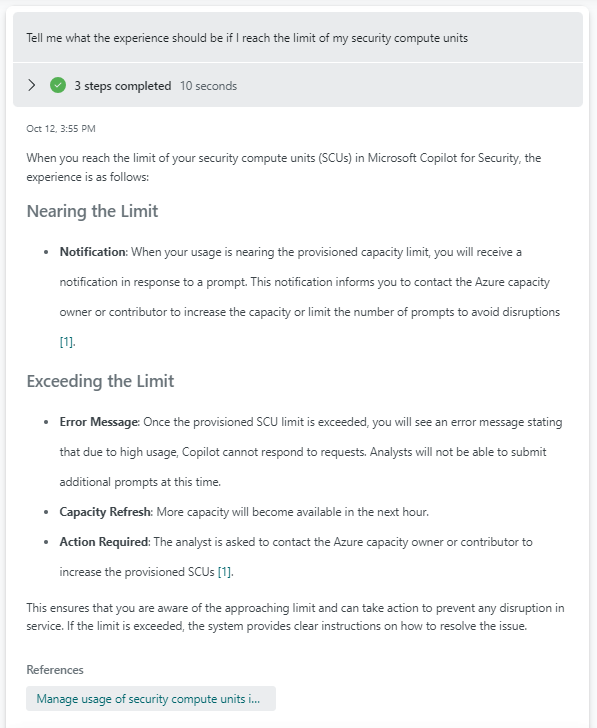
Manage usage of security compute units in Copilot for Security | Microsoft Learn

As always, stay tuned for more updates as we continue exploring what Microsoft Security Copilot can (and can't) do under different usage conditions!
#MicrosoftSecurity
#MicrosoftLearn
#CyberSecurity
#MicrosoftCopilotforSecurity
#Microsoft
#MSPartnerUK
#msftadvocate